If you have been learning SEO for a while, you have probably come across the term “canonical URL” — and wondered what it actually means and why everyone keeps talking about it. In this guide, we will break it down in the simplest way possible so you understand not just what a canonical URL is, but why it matters deeply for your website’s SEO performance.
What is a Canonical URL?
A canonical URL is the preferred or “master” version of a webpage that you want search engines like Google to index and rank. When multiple URLs on your website show the same or very similar content, a canonical URL tells Google — “hey, this is the main version, please focus on this one.”
The word “canonical” simply means “the one true version.” Think of it as telling Google which page deserves all the credit.
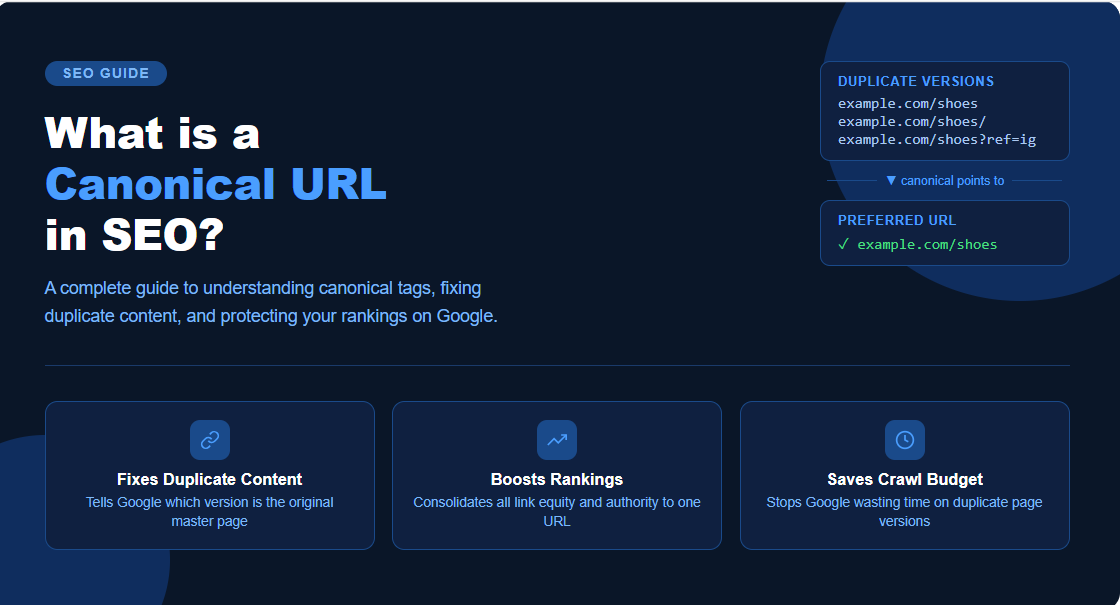
For example, these four URLs might show the exact same content:
https://www.example.com/shoeshttps://example.com/shoeshttps://www.example.com/shoes?ref=instagramhttps://www.example.com/shoes/
To a human, these all look like the same page. But to Google, these are four different URLs — and that creates a problem called duplicate content.
A canonical tag solves this by pointing all these versions to one preferred URL.
What is a Canonical URL in SEO?
In SEO, a canonical URL plays a very important role. Search engines crawl and index millions of pages every day. When they find multiple pages with the same content, they get confused — they do not know which version to rank, which version to show in search results, and which version deserves the backlinks and authority.
This confusion leads to a problem called duplicate content, which can seriously harm your SEO performance. Your pages end up competing against each other, your ranking signals get split, and Google may choose to rank the wrong version of your page.
A canonical URL in SEO solves all of this by:
- Telling Google which version of the page is the original
- Consolidating all ranking signals to one URL
- Preventing duplicate content penalties
- Ensuring the right page appears in search results
How Does a Canonical Tag Look?
A canonical tag is a simple line of HTML code that goes inside the <head> section of your webpage. It looks like this:
<link rel="canonical" href="https://www.example.com/shoes" />This single line tells Google — “no matter which version of this page you arrived at, the real, preferred version is this URL.”
Why Does Canonical URL Matter So Much?
Here are the key reasons why canonical URLs are critical for SEO:
1. Fixes Duplicate Content Issues E-commerce websites especially suffer from this. A product page can have dozens of URL variations due to filters, sorting options, and tracking parameters. Without a canonical tag, Google sees all of these as separate duplicate pages.
2. Consolidates Link Equity When multiple versions of the same page exist and different websites link to different versions, your backlink authority gets divided. A canonical URL brings all that link equity together to one page — making it stronger and more likely to rank.
3. Saves Crawl Budget Google has a crawl budget — meaning it only crawls a limited number of pages on your website at a time. If Google is wasting time crawling 10 duplicate versions of the same page, it may miss your important pages entirely. Canonical URLs help Google crawl your site more efficiently.
4. Controls Which Page Ranks Without canonical tags, Google may decide on its own which version to rank — and it might not choose the version you want. A canonical URL puts that control back in your hands.
5. Handles URL Parameters UTM parameters used in marketing campaigns (like ?utm_source=facebook) create new URLs every time. Canonical tags ensure these tracking URLs do not confuse Google or dilute your rankings.
Common Situations Where You Need Canonical URLs
E-commerce product pages — When the same product appears under multiple categories, creating different URLs for the same item.
HTTP vs HTTPS — If your website is accessible on both http:// and https://, you need a canonical pointing to the HTTPS version.
WWW vs non-WWW — www.example.com and example.com are technically different URLs to Google.
Trailing slashes — /shoes and /shoes/ are treated as different pages.
Syndicated content — If you publish your blog post on another website, a canonical tag on that post pointing back to your original URL ensures you get the SEO credit.
Paginated pages — Blog pages like /blog/page/2 and /blog/page/3 often have overlapping content with the main blog page.
Self-Referencing Canonical Tags
A best practice in SEO is to add a canonical tag on every page — even if there is no duplicate version of it. This is called a self-referencing canonical, where the canonical URL points to the page itself.
This protects your page in case someone else links to it with extra parameters, or in case it gets shared with tracking URLs attached.
Canonical URL vs 301 Redirect — What is the Difference?
Many people confuse these two. Here is the simple difference:
| Canonical URL | 301 Redirect | |
|---|---|---|
| Page still accessible? | Yes | No — redirects to new URL |
| Best for | Duplicate content | Permanently moved pages |
| User experience | Both versions load | Only new URL loads |
| SEO signal | Soft signal to Google | Strong permanent signal |
Use a canonical tag when you want both URLs to remain accessible but want Google to prefer one. Use a 301 redirect when the old page no longer needs to exist.
How to Check if Your Pages Have Canonical Tags
You can check canonical tags in three easy ways:
- View page source — Right-click on any page, click “View Page Source,” and search for
rel="canonical"in the code - Google Search Console — Use the URL Inspection tool to see which canonical Google has selected for your page
- SEO tools — Tools like Ahrefs, SEMrush, and Screaming Frog can crawl your entire website and flag pages with missing or incorrect canonical tags
Common Canonical Tag Mistakes to Avoid
- Canonicalising to a non-indexable page — Never point a canonical to a page that has a noindex tag
- Conflicting signals — Having a canonical pointing to Page A but a 301 redirect going somewhere else confuses Google
- Missing canonical tags — Leaving pages without any canonical tag is a missed opportunity
- Canonicalising paginated pages to the first page — This can cause Google to ignore important paginated content
Final Thoughts
A canonical URL is one of the most important yet most overlooked elements of technical SEO. It is a small line of code that does a big job — telling Google exactly which version of your content is the one that matters.
Whether you run an e-commerce store, a blog, or a business website, getting your canonical tags right is non-negotiable for strong SEO performance. It protects your rankings, consolidates your authority, and ensures Google always shows the right page to the right people.
If you are unsure whether your website has canonical issues, a full technical SEO audit will reveal exactly what needs to be fixed — and that is exactly what varunseo specialises in.
Find Best Guest Posting Websites